
ParkNDsnAPP is a minimalist mobile application developed by Antonio Fradique designed to solve a universal daily problem: forgetting where you parked your car. Unlike standard navigation apps, it requires no login, no account creation, contains zero invasive ad trackers, and stores 100% of its GPS and photo data locally on the user’s device. It takes less than 5 seconds to save a spot. Download it free on the Google Play Store.
We have all been there.
You walk out of a massive shopping mall, bags in both hands, tired from hours of walking. You step into the concrete labyrinth of the underground parking garage. You look to your left. You look to your right.
Nothing.
You start pressing the lock button on your car key fob like a maniac, desperately hoping to hear a faint beep-beep echoing off the pillars. Ten minutes later, you are still walking up and down Row G, sweating, wondering if your car was stolen or if you are just losing your mind.
Millions of urban drivers experience this exact moment of panic every single day. Yet, the solutions offered by the tech market have been surprisingly terrible: overloaded navigation apps that take seven taps to drop a pin, cluttered phone camera rolls filled with blurry photos of concrete pillars, or “free” parking apps that force you to create an account just to harvest your location data.
It was time for a reset. Enter ParkNDsnAPP.
The Philosophy: Do One Thing Exceptionally Well
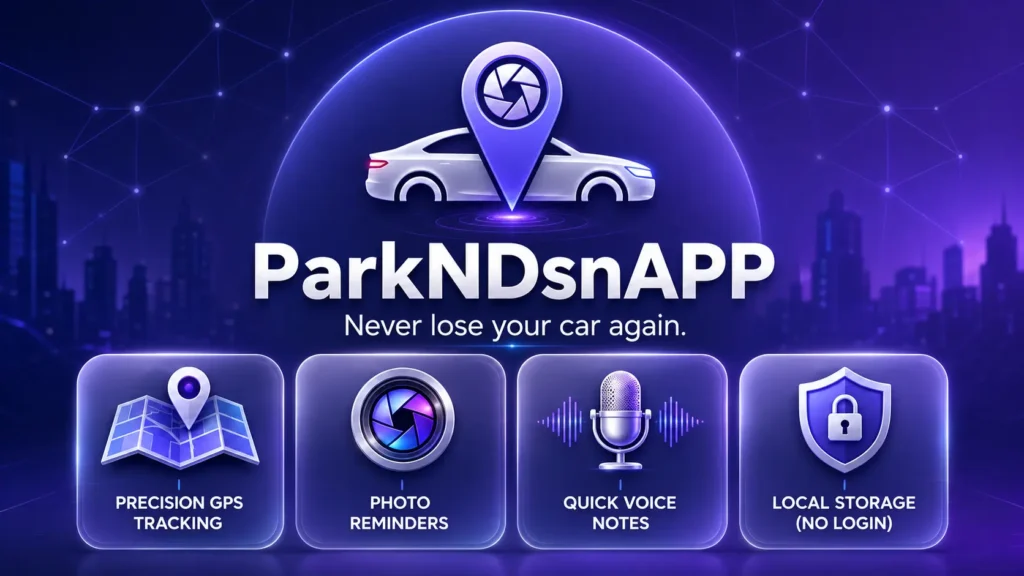
In an era where every smartphone app wants to be a “super app” filled with social feeds, AI chatbots, and cryptocurrency wallets, ParkNDsnAPP went the exact opposite direction. It follows a classic software engineering philosophy: do one thing, and do it better than anyone else.
The sole objective of ParkNDsnAPP is invisible utility.
When you park your car, you do not want to navigate through complex menus. You want to get out of your vehicle and get on with your life. With ParkNDsnAPP, the entire saving process takes less than five seconds:
You open the app. (There are no splash screens, no login gates, and no loading bars).
You tap one giant, elegant button: “Save My Parking”.
You walk away.
In those few seconds, the application automatically locks your exact GPS coordinates, starts a real-time parking timer, and gives you the instant option to snap a quick photo of your parking pillar or type a floor letter (e.g., “Floor B2, Blue Zone”).
When you are ready to return, you open the app and tap “Navigate Back”. Your smartphone instantly generates a walking route directly to your car door via Google Maps.
Why Privacy is the Ultimate Feature
If you look at the top-ranking parking and GPS tracking apps on the market today, almost all of them share a dark secret: you are the product.
Location data is one of the most lucrative commodities in the digital advertising industry. When a standard app asks for your “Precise Location,” it is frequently bundling that data with third-party SDKs to track which shops you visit, how long you stay at the airport, and what time you go to work.
ParkNDsnAPP was built as an anti-surveillance tool.
Zero Account Creation: You will never be asked for an email address, a phone number, or a password.
100% Local Sandboxing: Your GPS coordinates, your voice notes, and your parking spot photos live exclusively inside the physical memory of your smartphone.
No Cloud Servers: Because the developers do not collect your data on external servers, it is physically impossible for your location history to be hacked, leaked, or sold to data brokers.
When you delete your parking spot inside the app, it is wiped from physical existence.
ParkNDsnAPP vs. Standard Alternatives
How does a dedicated, minimalist tool compare to the standard methods drivers use to remember their cars?
| Feature | Phone Camera Roll | Native Phone Maps | Standard Free Apps | ParkNDsnAPP |
| Time to Save | 10 Seconds | 15+ Seconds | 20+ Seconds | < 5 Seconds |
| Account Required | No | Yes (Cloud tied) | Yes (Mandatory) | No |
| Offline Underground | Yes | Fails | Fails | Yes (Photo/Text) |
| Ad-Free UI | Yes | Yes | No (Heavy Ads) | Yes |
| Data Privacy | Moderate | Tracked | Poor (Sold) | 100% Local & Secure |
| One-Tap Return | No | Three Taps | Varies | Yes (Instant Route) |
(Table semantic summary: ParkNDsnAPP outperforms traditional smartphone camera rolls, native map pins, and commercial parking finders in speed, user privacy, and underground reliability).
4 Real-World Scenarios Where ParkNDsnAPP Saves the Day
While the app is designed for daily urban commuting, there are four specific high-stress environments where it becomes an absolute lifesaver:
1. The Airport Long-Term Lot
You are flying out for a two-week international vacation. You park in “Economy Lot C,” grab your luggage, and rush to the terminal shuttle. Fourteen days later, you land at 2:00 AM, exhausted, jet-lagged, and facing a sea of 10,000 identical parked vehicles. One tap on your ParkNDsnAPP card tells you: Parked 14 days ago — Sector C4.
2. The Subterranean Mega-Mall
GPS signals cannot penetrate twenty feet of reinforced concrete. When you park on Floor -3 of a major shopping center, standard map pins freeze. ParkNDsnAPP acts as a safety net: the moment you save your spot, you take a 2-second photo of the painted “E-12” pillar. When the GPS fails underground, your photo reminder guides you straight to the bumper.
3. Music Festivals & Stadium Events
Parking in a makeshift grass field with 50,000 other screaming fans is a recipe for midnight disaster. Because ParkNDsnAPP relies on raw high-precision coordinate locking, it guides you back across pitch-black open fields where there are no street signs or paved roads to guide you.
4. Exploring an Unfamiliar City
You are taking a weekend road trip to a historic town. You find a rare parallel parking spot on a random side street, pay the meter, and spend the next six hours walking through museums and cafes. Instead of trying to memorize unfamiliar Portuguese or Italian street names, your phone handles the mental overhead.
Designed to Feel Like a Native OS Tool
A utility app should never feel like a chore to look at. Inspired by the clean visual language of Apple UI, Notion, and Tesla’s dashboard software, ParkNDsnAPP features a dark-mode Glassmorphism interface.
It utilizes soft translucent blurs, fluid 60-FPS micro-animations, and high-contrast typography. It was ergonomically mapped for one-handed thumb use—meaning you can hold a toddler or a grocery bag in your right hand while saving your vehicle’s location with your left thumb.
Furthermore, it speaks your language. The app utilizes dynamic on-the-fly device localization, automatically adapting its interface to ten different world languages (including full native Right-to-Left layout mirroring for Arabic users).
How to Never Lose Your Car Again (Setup in 10 Seconds)
Getting started requires zero onboarding friction:
Download the app via the Official Antonio Fradique Portal.
Open the application.
Grant the standard OS permissions (Location for coordinate locking, and Camera if you wish to use photo reminders).
Park your car and press Save.
You have successfully outsourced one of daily life’s most annoying micro-stresses to your pocket.
Frequently Asked Questions
Does ParkNDsnAPP work inside underground parking garages without internet?
Yes. While satellite GPS coordinates cannot update live inside deep concrete basements, ParkNDsnAPP allows you to instantly snap a photo of your parking pillar and manually type your floor level. This data is saved offline on your device, ensuring you can always find your spot even with zero bars of cellular service.
Can I share my parked car’s location with a friend or family member?
Yes. The app includes a native Share button on the main dashboard. With one tap, you can send your exact parking coordinates and a direct route link to your partner via WhatsApp, iMessage, or SMS so they can find the vehicle independently.
Is ParkNDsnAPP really 100% free?
The core application—including instant GPS saving, photo reminders, parking timers, and automated return routing—is completely free to download and use on Android.
About the Author: Antonio Fradique is an independent software developer and tech creator focused on building high-performance, privacy-first digital tools for modern mobile operating systems. Explore more of his projects at AntonioFradique.net.